Nuralta Controls for SAP S/4HANA
Continuous controls for SAP S/4HANA, with evidence your auditors can check.
Nuralta Controls reads your SAP system, checks every transaction against your control rules, and turns each run into findings to act on and an evidence file for audit.
A Nuralta solution. Nuralta · Strategy, GRC and performance advisory
Why teams use it
Controls that run themselves, with proof attached
Whole populations, not samples
Every invoice line, billing document or user in the period is checked.
Read-only by design
A display-only SAP user reads the data. Nothing changes in SAP.
Evidence ready for audit
Each run produces a file with the period, the checks and every finding.
Findings you can act on
Each finding has a risk level and a recommended action.
Results where you work
Built-in dashboard, Corporater BMP, Power BI, SAP Analytics Cloud or Excel.
Your network, your choice
Host it yourself, or have Nuralta manage it with an outbound-only connector.
What it checks
Controls where the risk lives
Nuralta Controls covers the areas auditors and risk teams look at first.
Access: who can do what in SAP, and who should not.
Segregation of duties: conflicting permissions held by the same person.
Procure-to-pay and order-to-cash: three-way match, where orders, receipts or deliveries and invoices do not line up.
Master data: customer and vendor records that are incomplete or changed without control.
How it fits together
From your SAP system to results and evidence
With Controls Pro, your controls live in Corporater BMP, integrated with risks, workflows, audit and the users who own them. BMP can also orchestrate the engine and send it the metadata each control needs.
SAP is read from inside your network through a display-only user, whether you host Nuralta Controls or Nuralta manages it.
See it working
The dashboard and the evidence
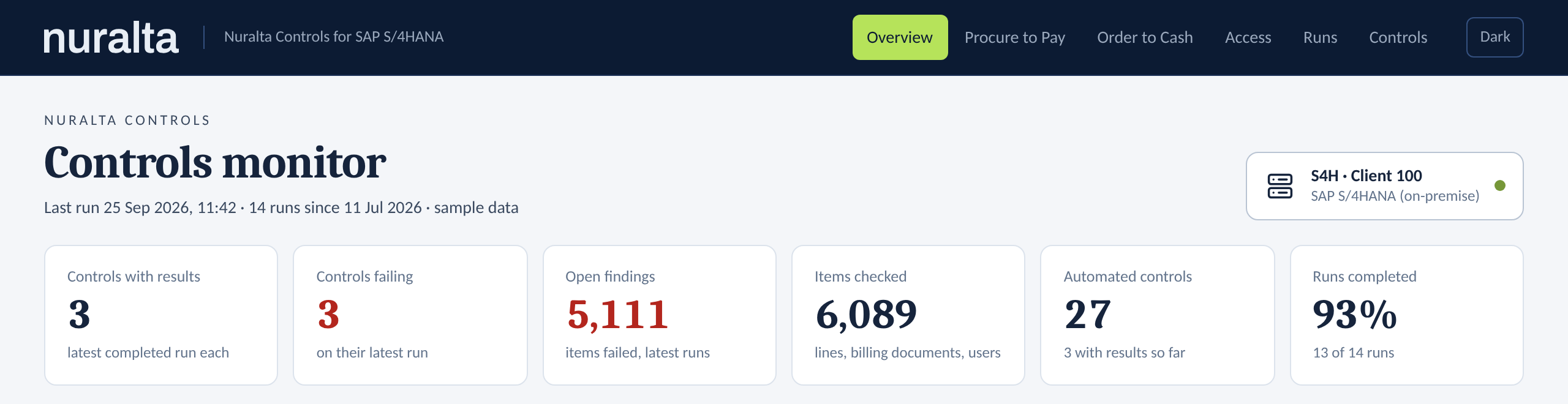
Dashboard. Every control’s latest result, the system it reads and when it last ran. 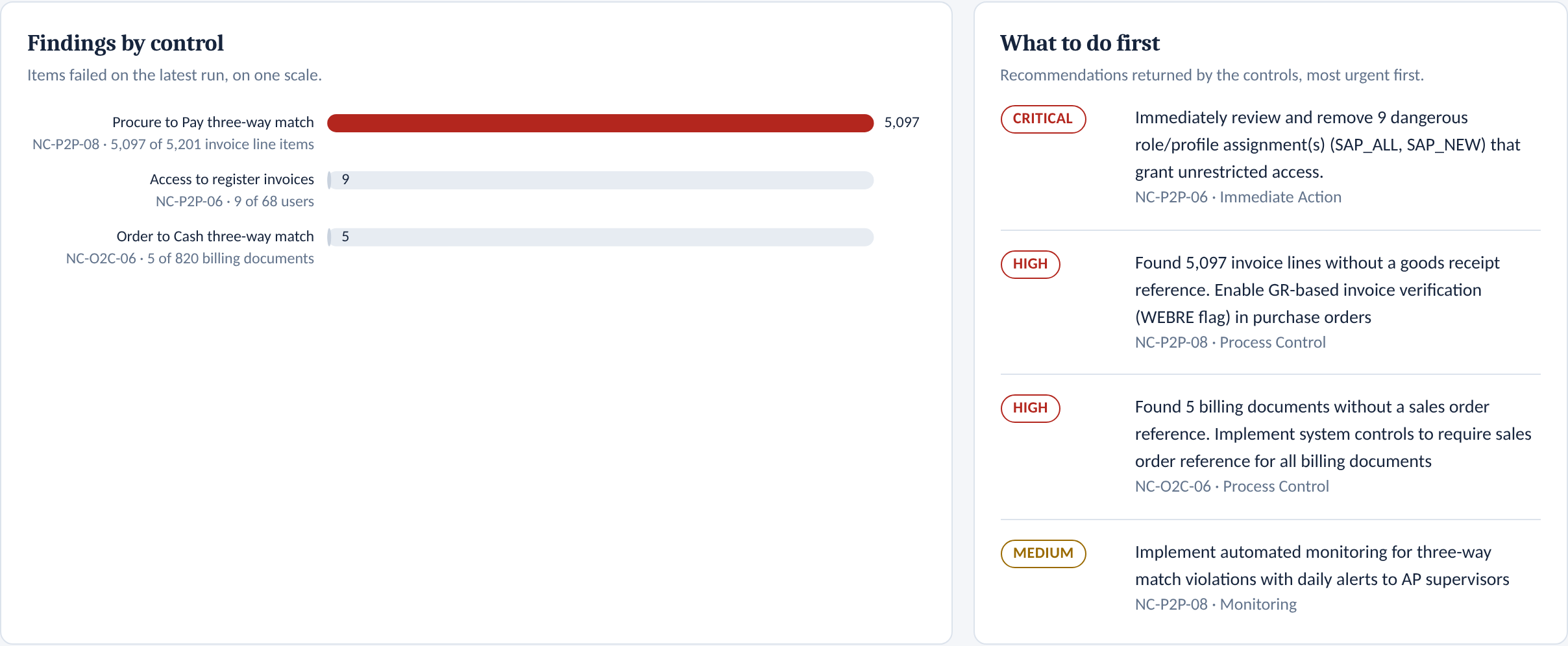
Findings and next steps. Findings by control, with the recommended actions in order of urgency. 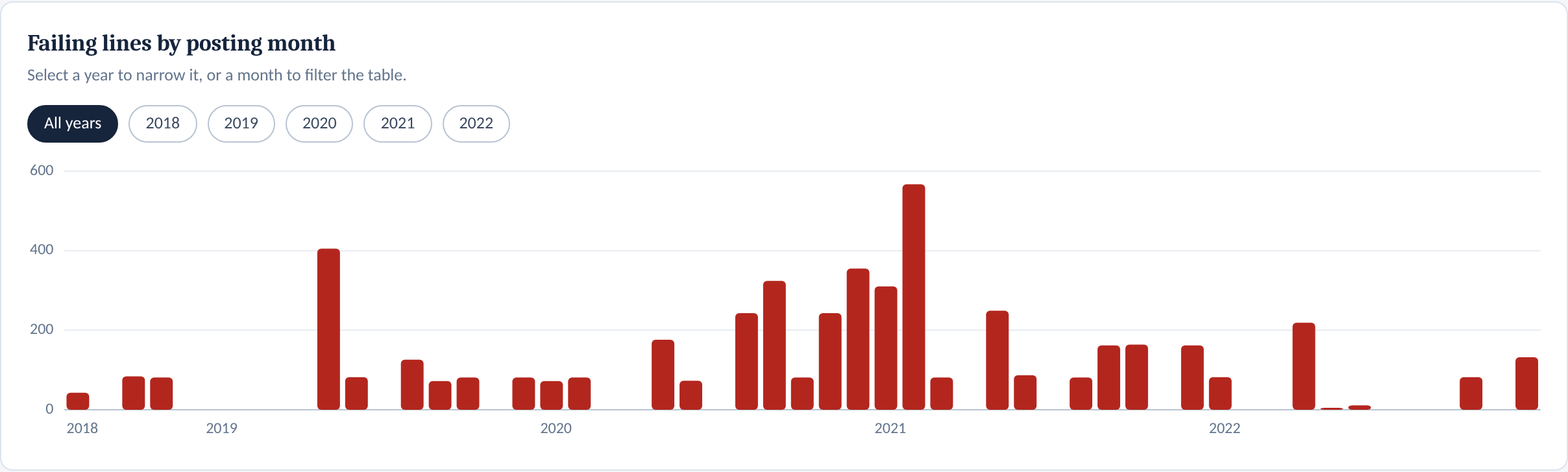
Drill into a control. Failing invoice lines by posting month, filterable by year and user. 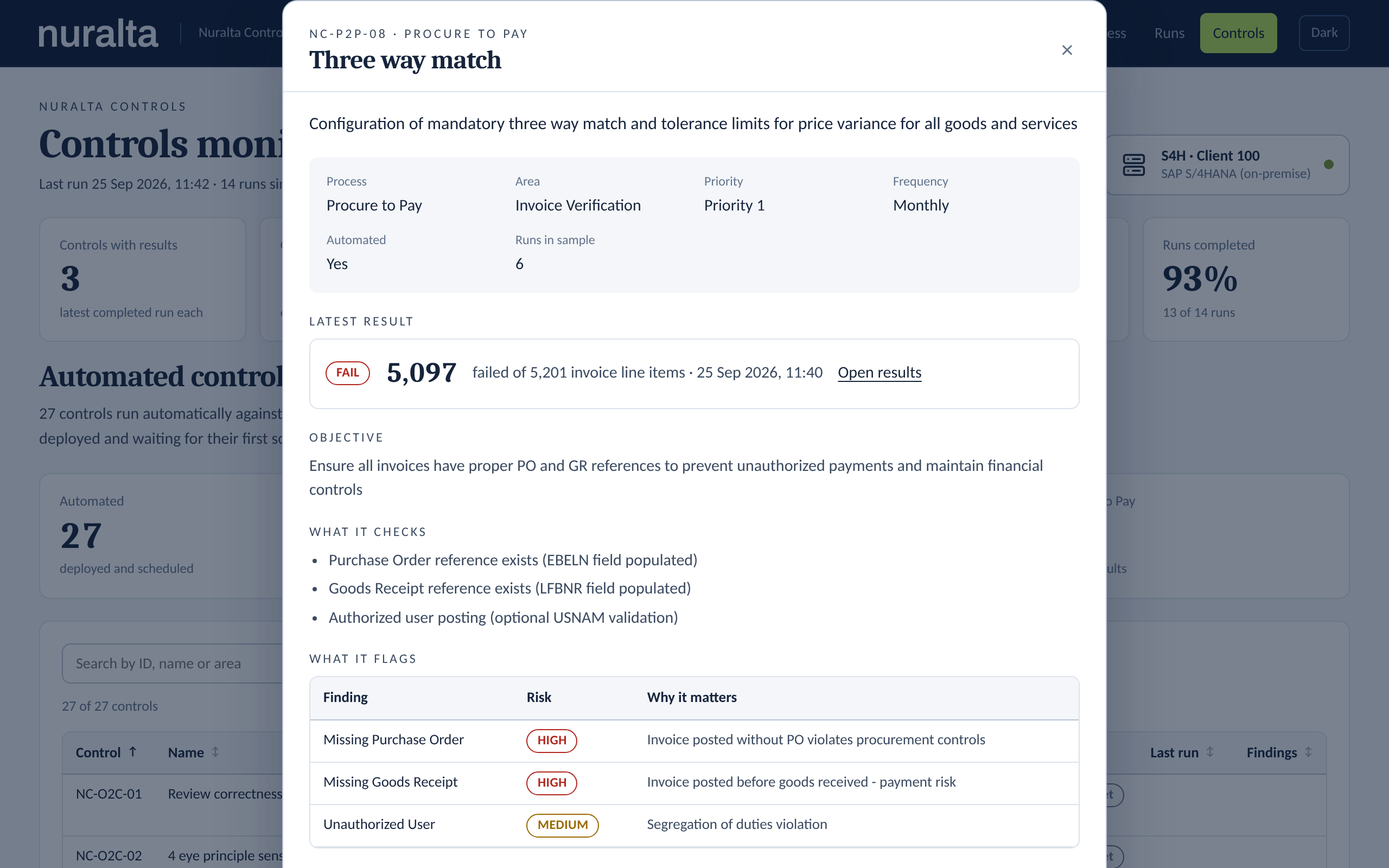
Control details. What each control checks, what it flags and its latest result. 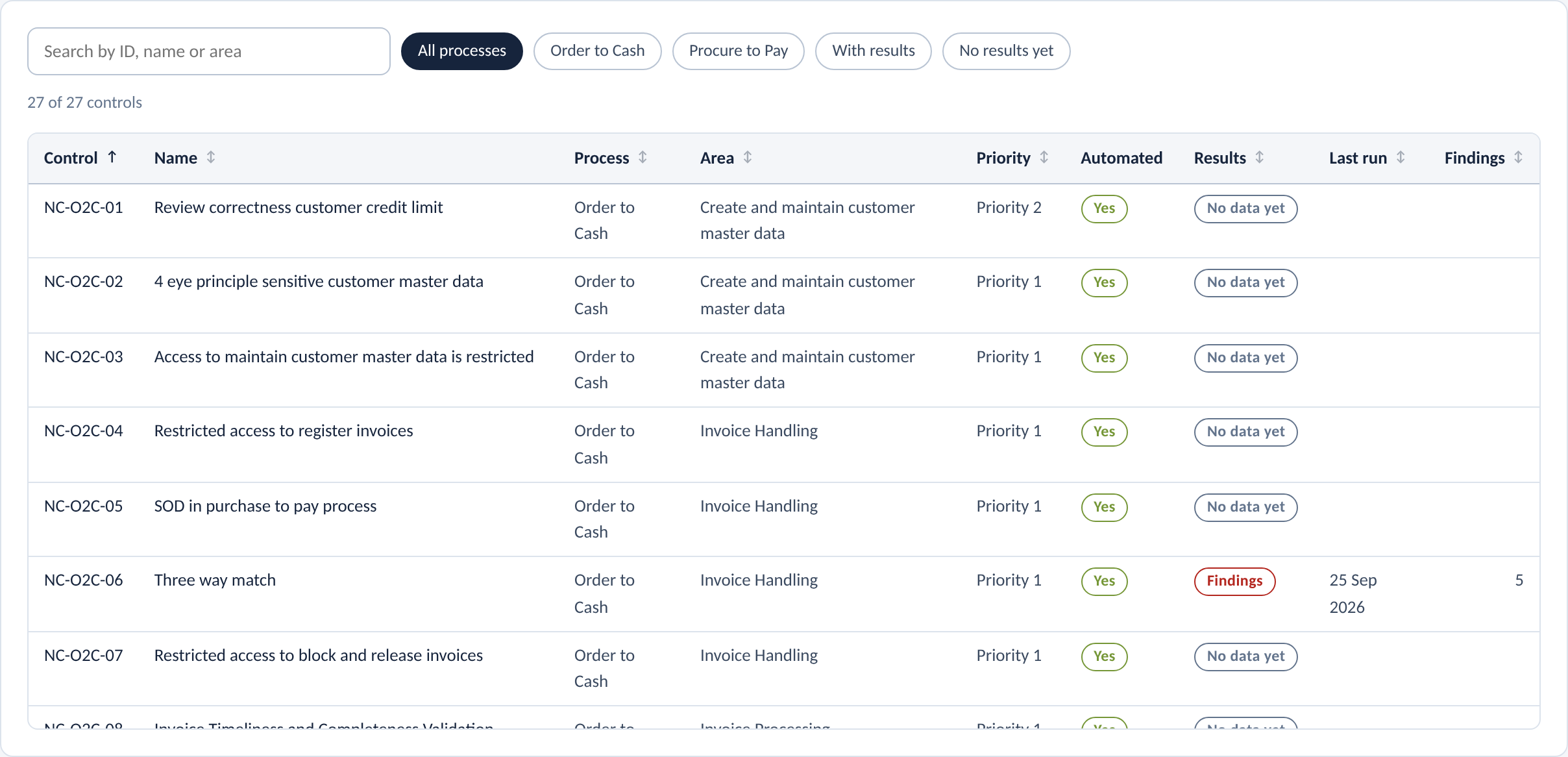
Automated controls. Every deployed control, with its status and latest findings. 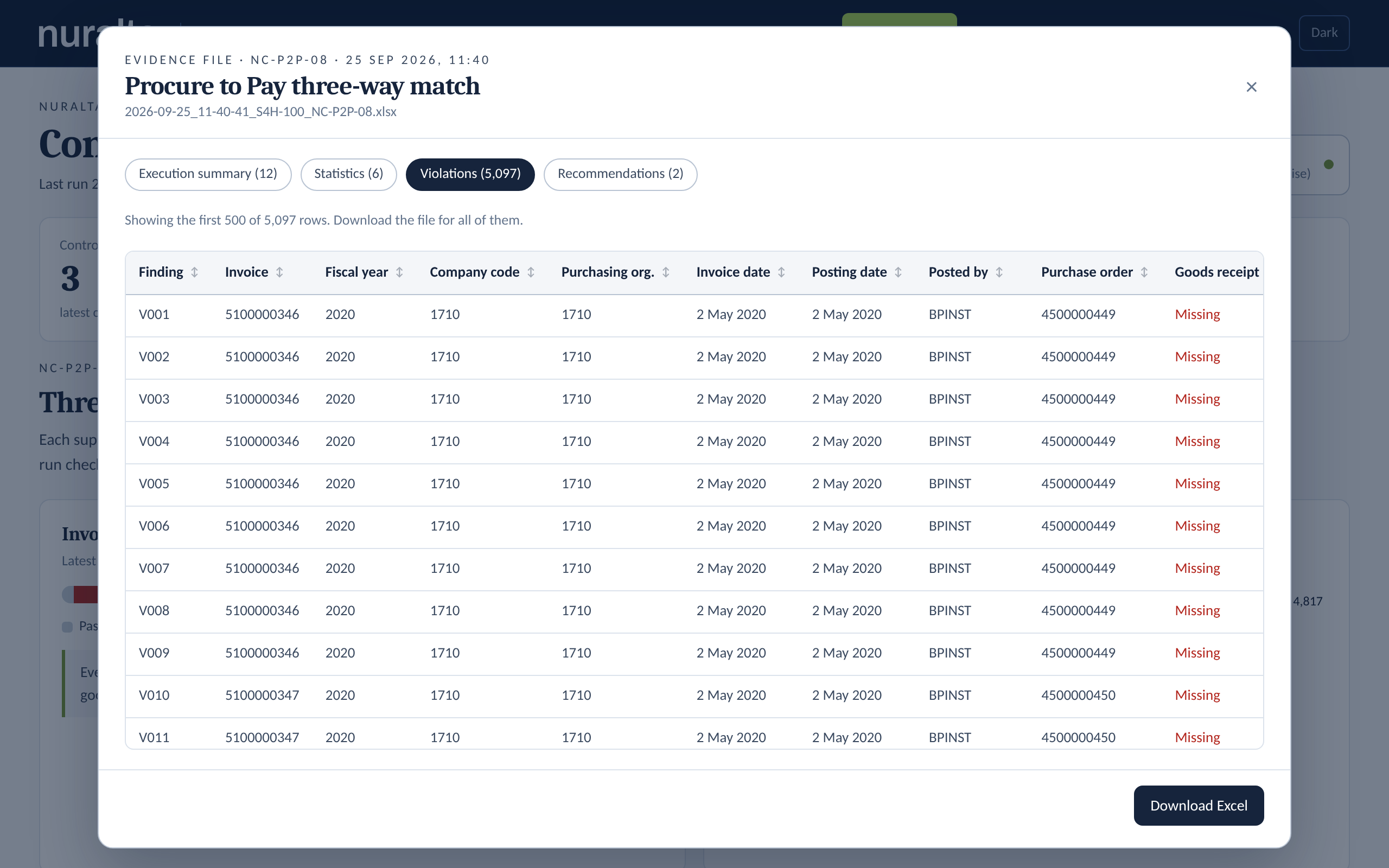
Evidence viewer. Open any run’s evidence file in the browser and download it. 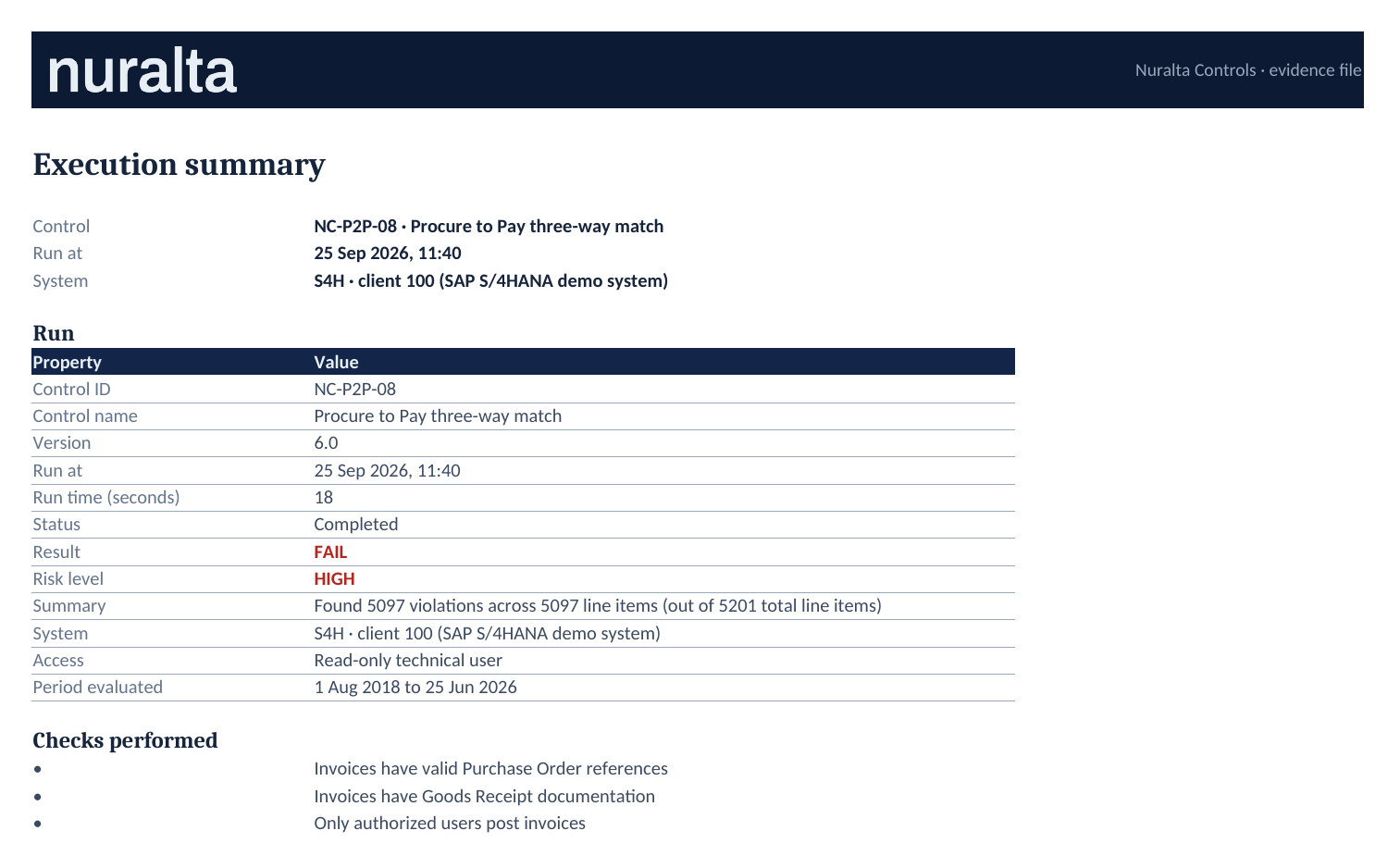
Excel evidence. Summary, findings and actions for every run. 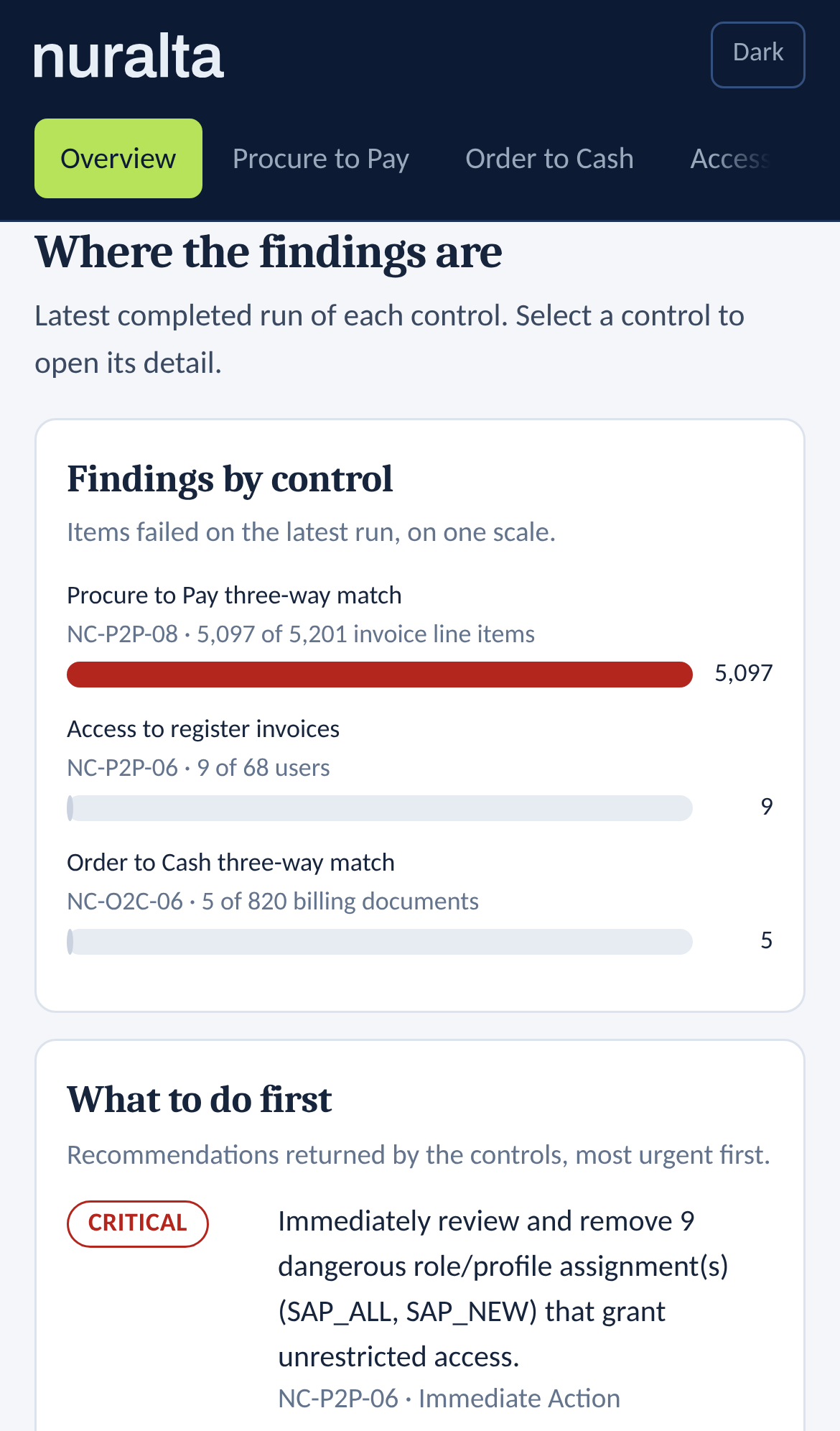
On a phone. The same results, anywhere. 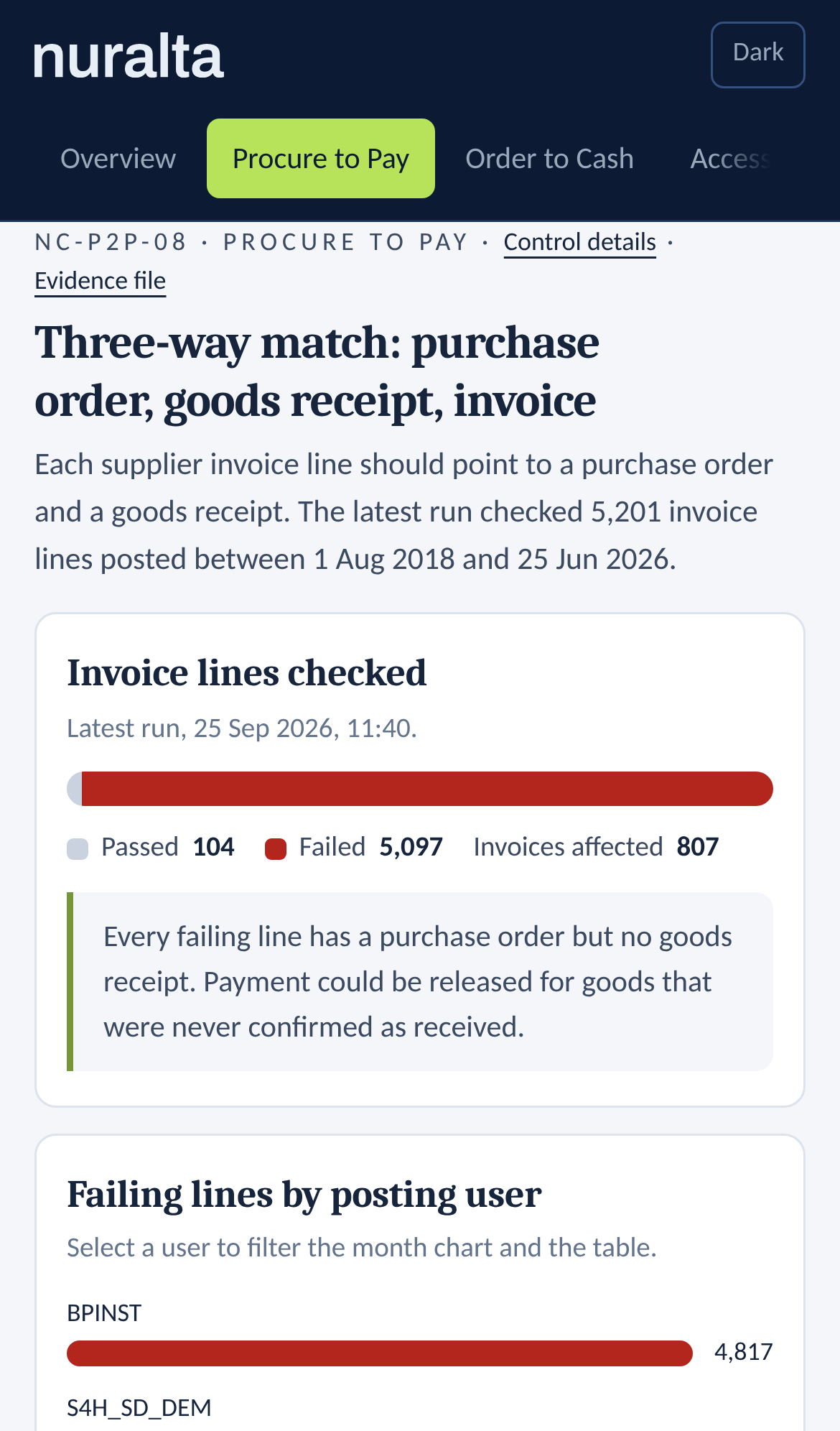
On a phone. Drill into a control from anywhere.
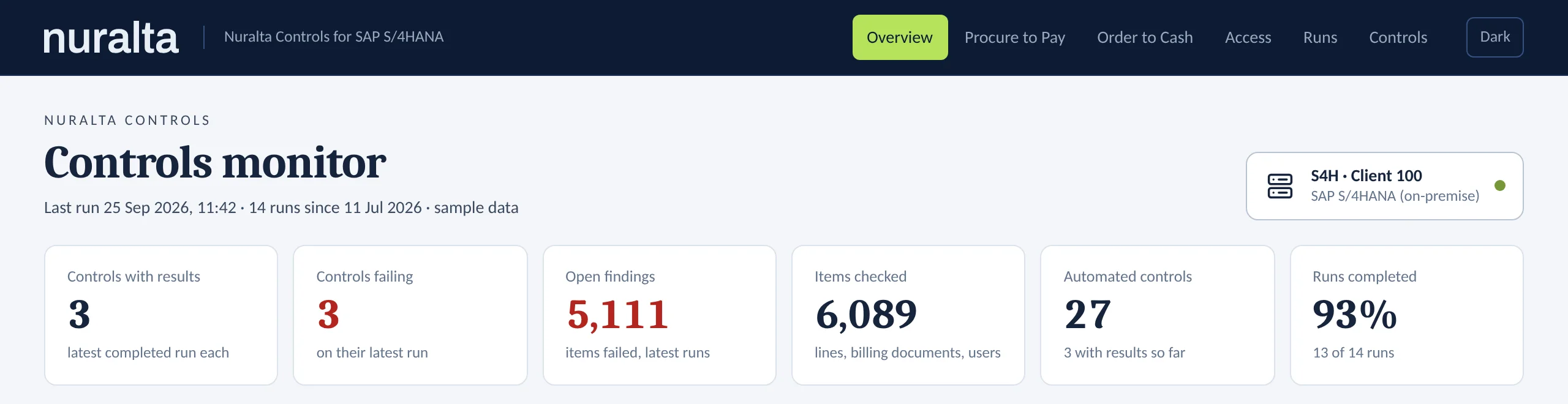
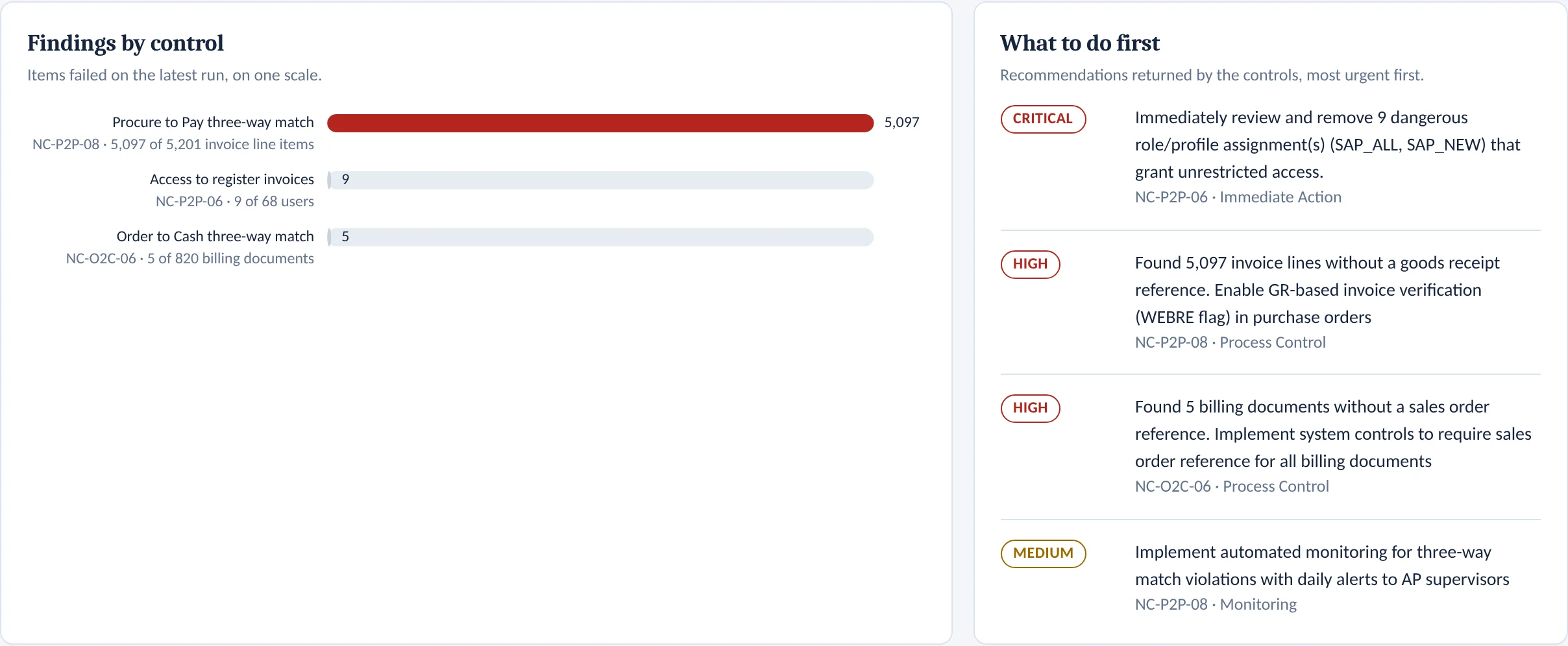
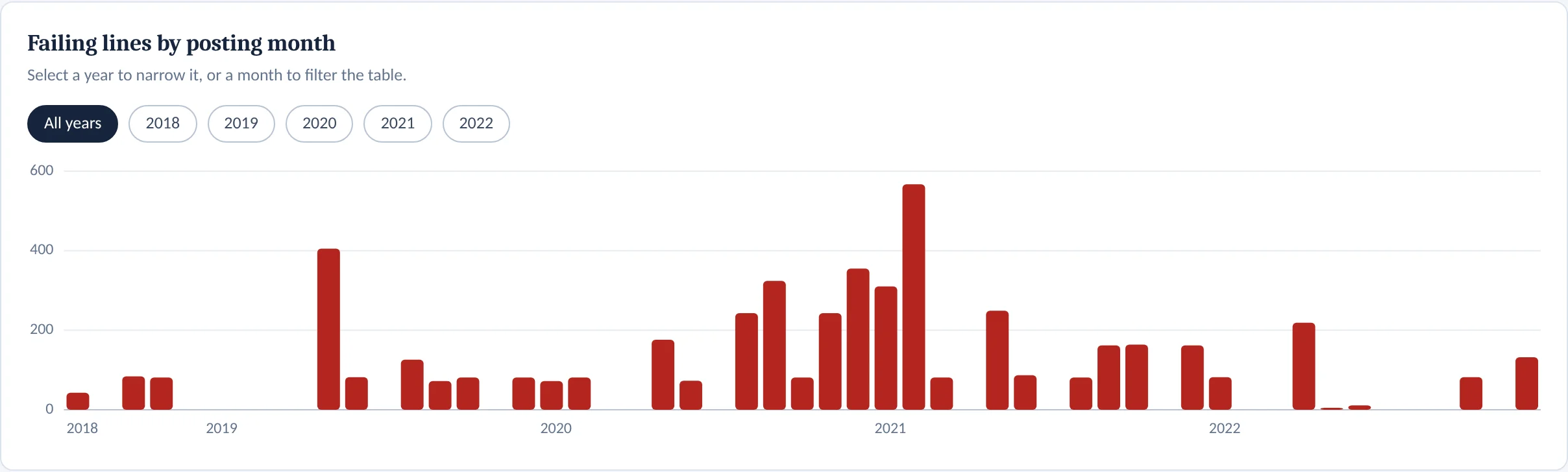
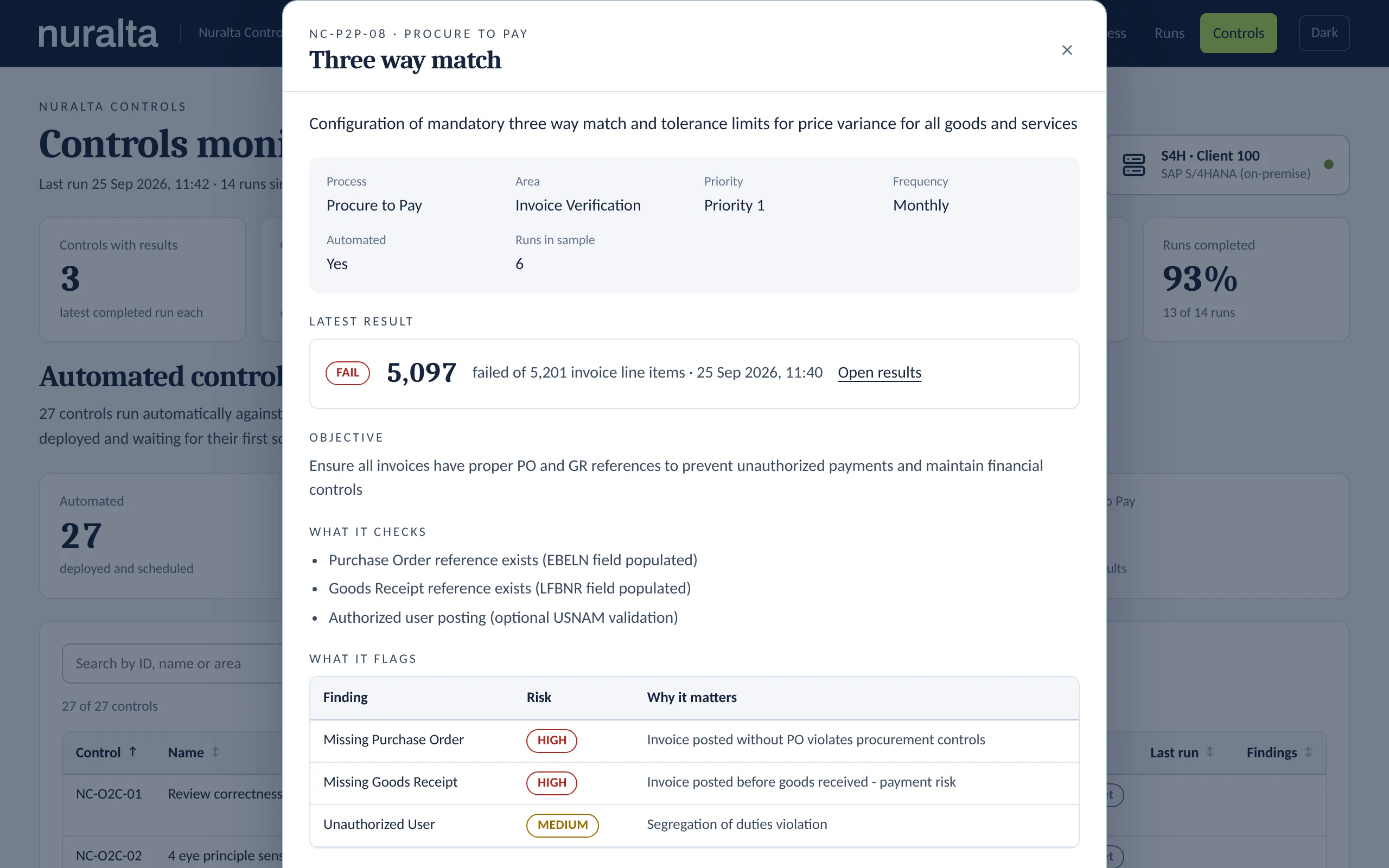
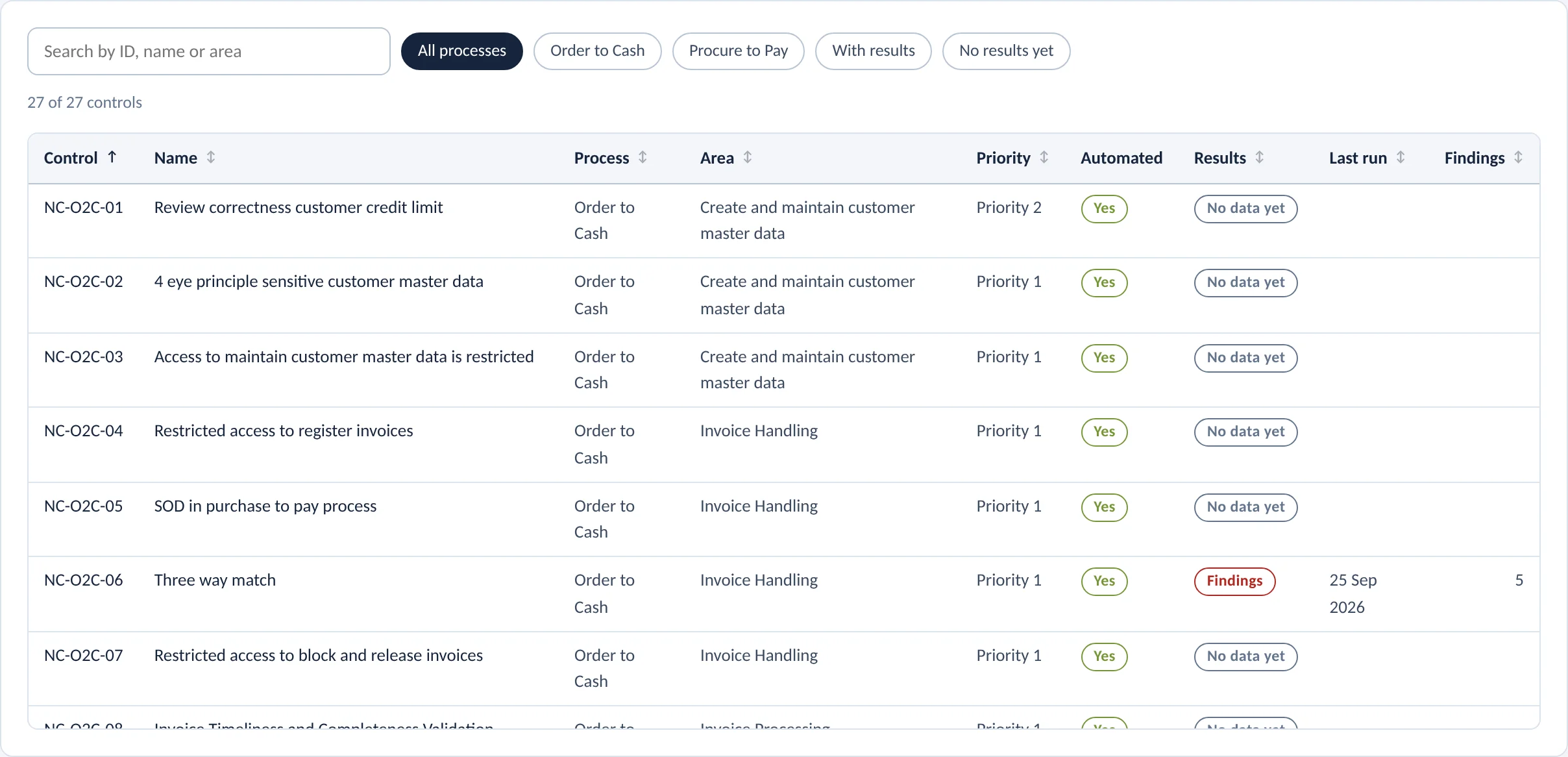
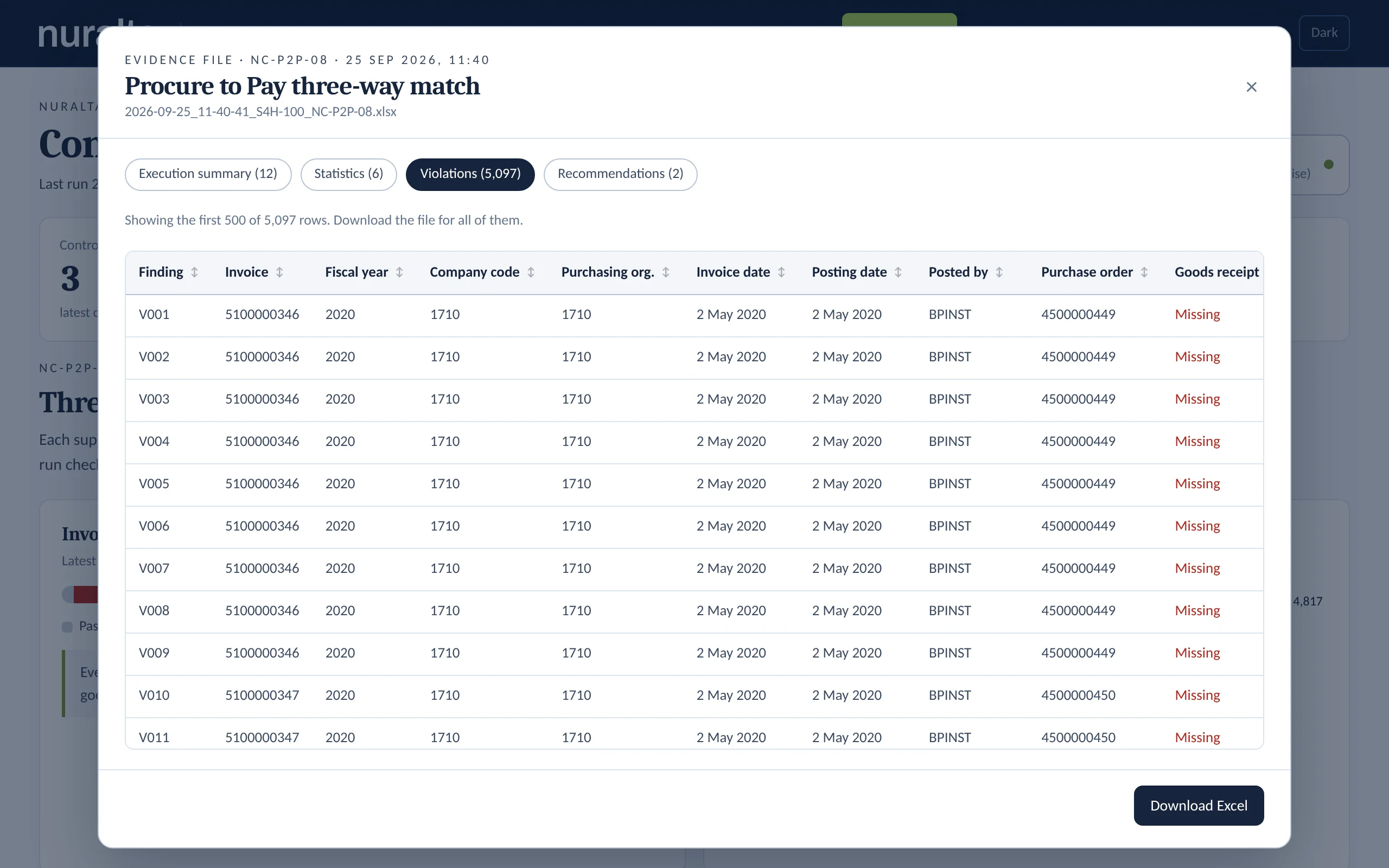
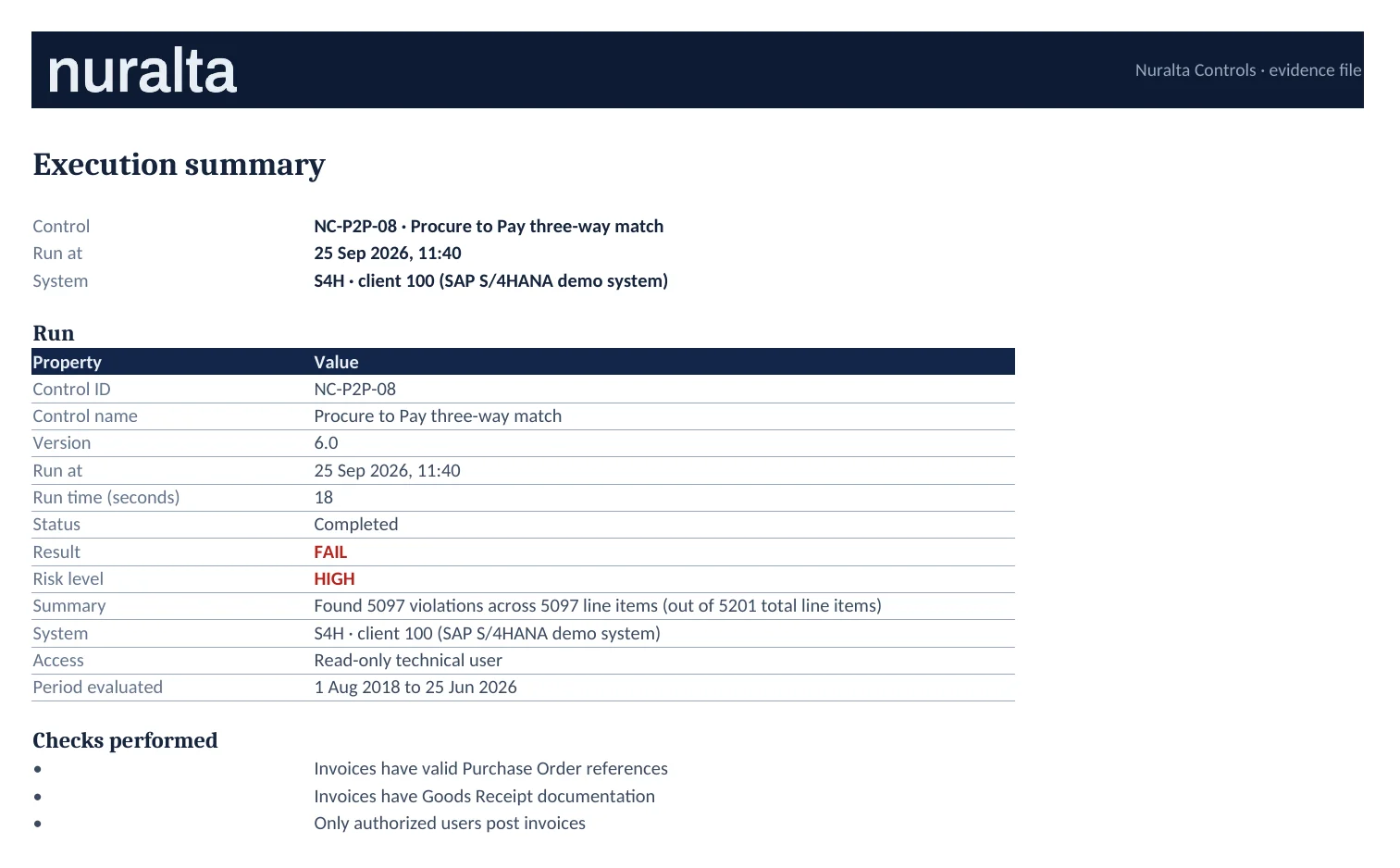
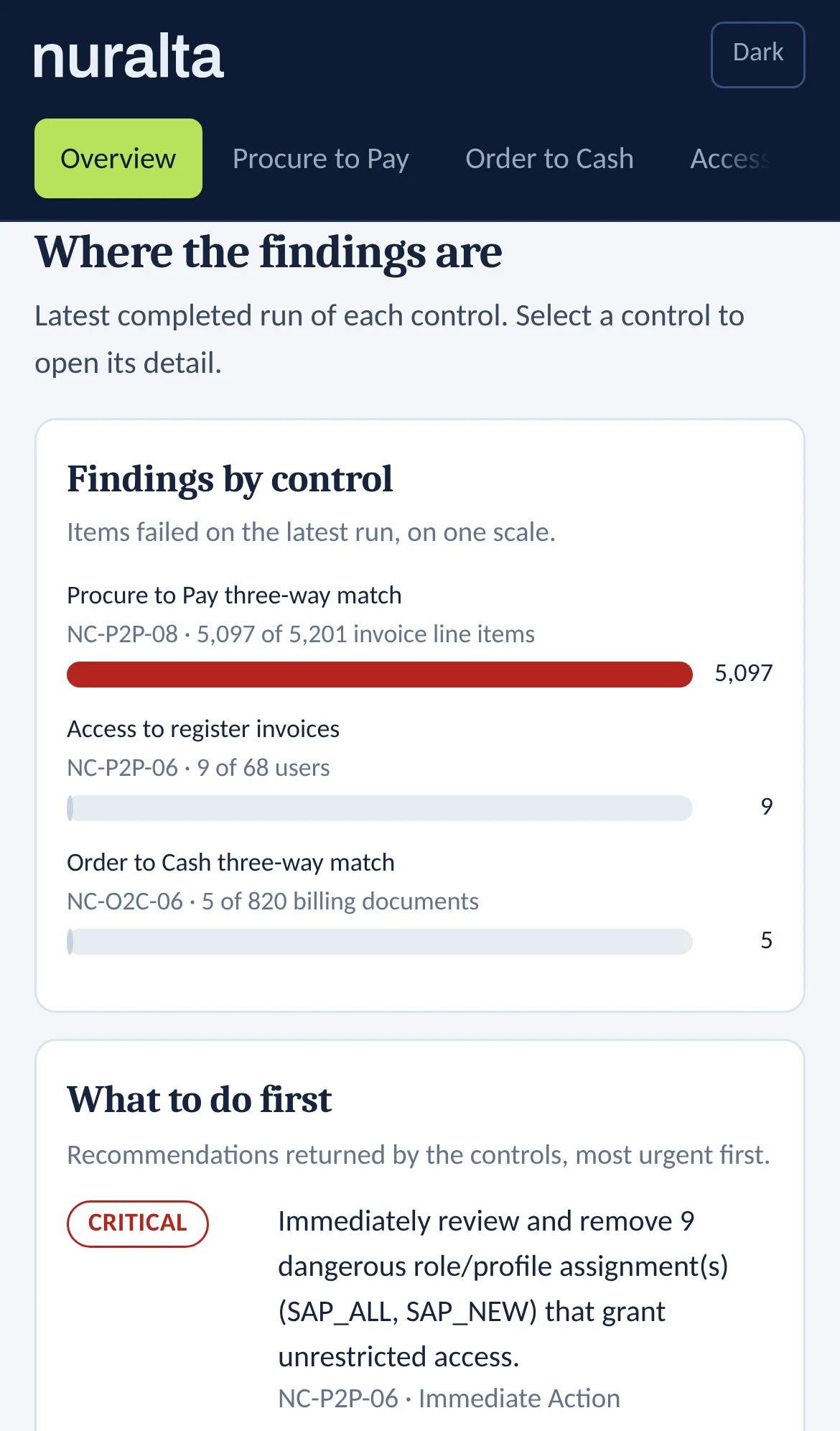
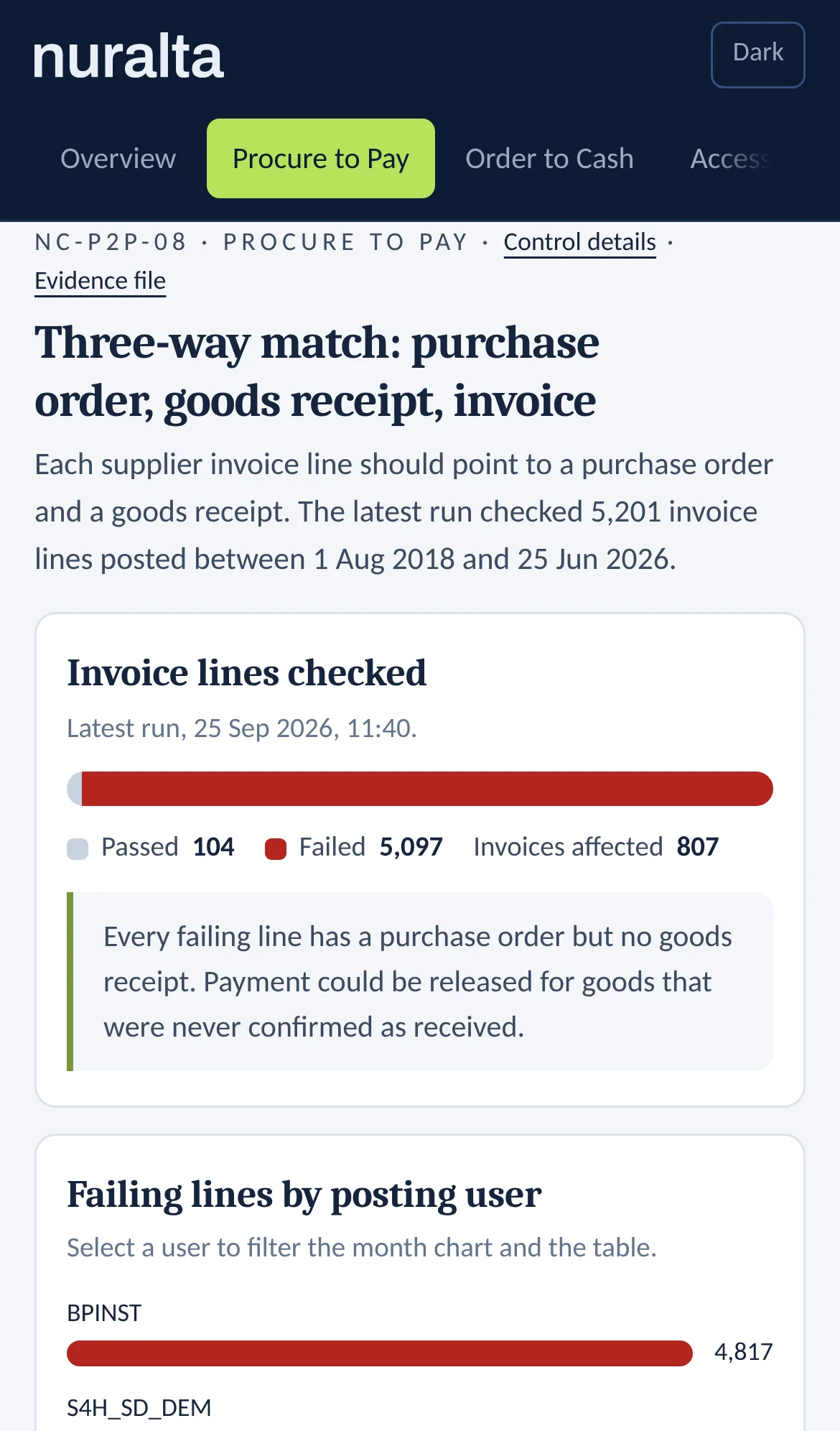
Screens show sample data from an SAP S/4HANA demo system.
Where it runs
Your network, your choice
In your network
You host it. We support you.
- Everything runs on your own servers
- Works fully offline, even on isolated networks
- Your team decides when every update lands
Managed by Nuralta
We run it. You use it.
- We run, monitor and update the platform
- A connector reads SAP from inside your network
- The connection is outbound only
Both options, one product.
Editions
One engine. Two ways to use it.
Nuralta Controls
Core
The automation engine, dashboard and evidence files, on their own.
- Automated controls, run continuously against SAP S/4HANA
- Built-in dashboard, Power BI or SAP Analytics Cloud
- An Excel evidence file for every run
- Stands on its own, no other platform needed
Nuralta Controls
Pro
Everything in Core, with your controls in Corporater BMP.
- Everything in Core
- Controls linked to risks, workflows, audit and users in Corporater BMP
- Corporater BMP can orchestrate runs and send each control its metadata
Start with Core. Add Pro when you are ready.
Security
Built to pass your security review
Read-only by design
A dedicated SAP user that can display data, and nothing more.
No inbound connections
SAP is read from inside your network. When Nuralta manages it, the connector connects outbound only.
Your sign-on, your rules
Your identity provider, clear roles and a full audit trail.
Evidence for every run
A file with the period, the checks and every finding, ready for your auditors.
A full security pack comes with every delivery.
FAQ
Frequently asked questions
Does Nuralta Controls change anything in SAP?
No. A dedicated SAP user with display-only access reads the data. Nothing changes in SAP.
Does our SAP data leave our network?
SAP is read from inside your network. If you host Nuralta Controls, it runs on your own servers. If Nuralta manages it, a connector inside your network reads SAP and sends results out; the connection is outbound only.
Which SAP systems are supported?
SAP S/4HANA on-premise.
Where do the results appear?
In the built-in dashboard (desktop and phone), in Power BI or SAP Analytics Cloud, as an Excel evidence file for every run, and with Pro in Corporater BMP.
What do auditors receive?
An evidence file for every run, with the period, the checks performed and every finding, each with its risk level and recommended action.
Do we need a GRC platform?
No. Nuralta Controls Core stands on its own. Nuralta Controls Pro adds integration with Corporater BMP.
What does it cost?
Nuralta Controls
See Nuralta Controls on your own SAP landscape
A walkthrough on demo data, then a scoped pilot on your system.